Getting Started
Board in hand — now it's time to get to know it!
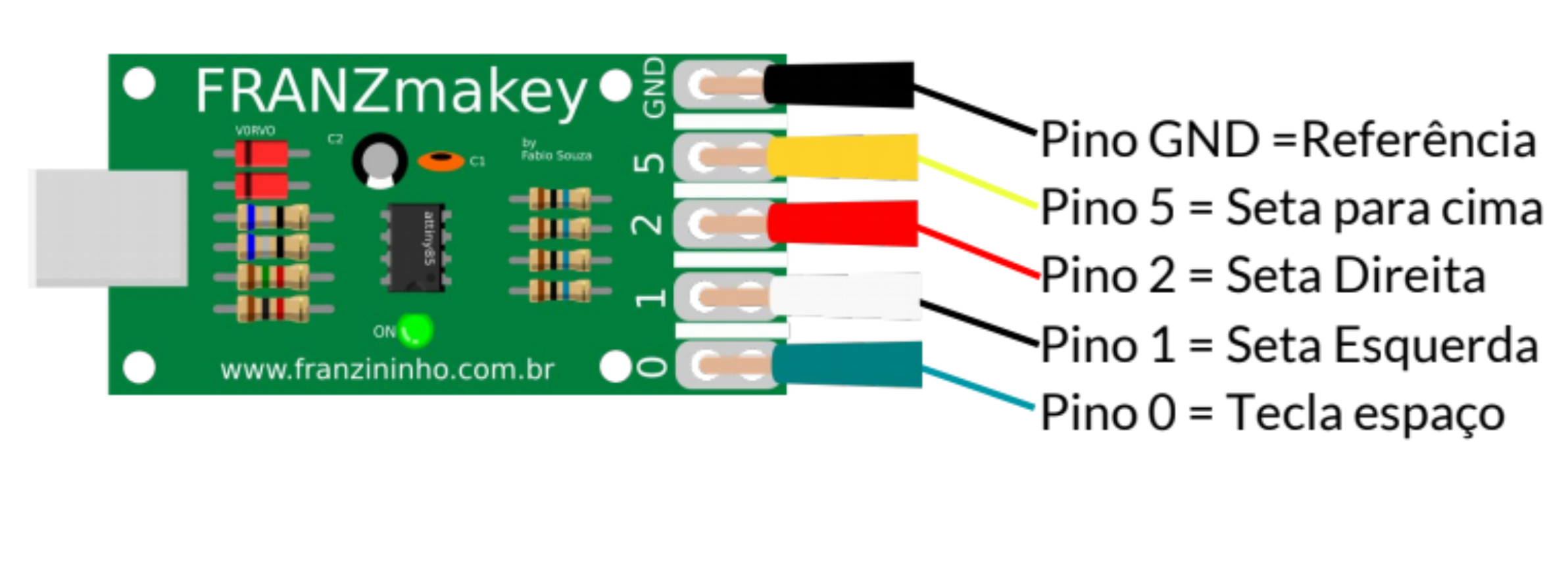
The FRANZmakey pins correspond to the arrow keys on your computer, as shown in the image:
Board Functionality Test
Grab two alligator clips and make the following connections:
- GND = Ground
- Pin 0 = Space key
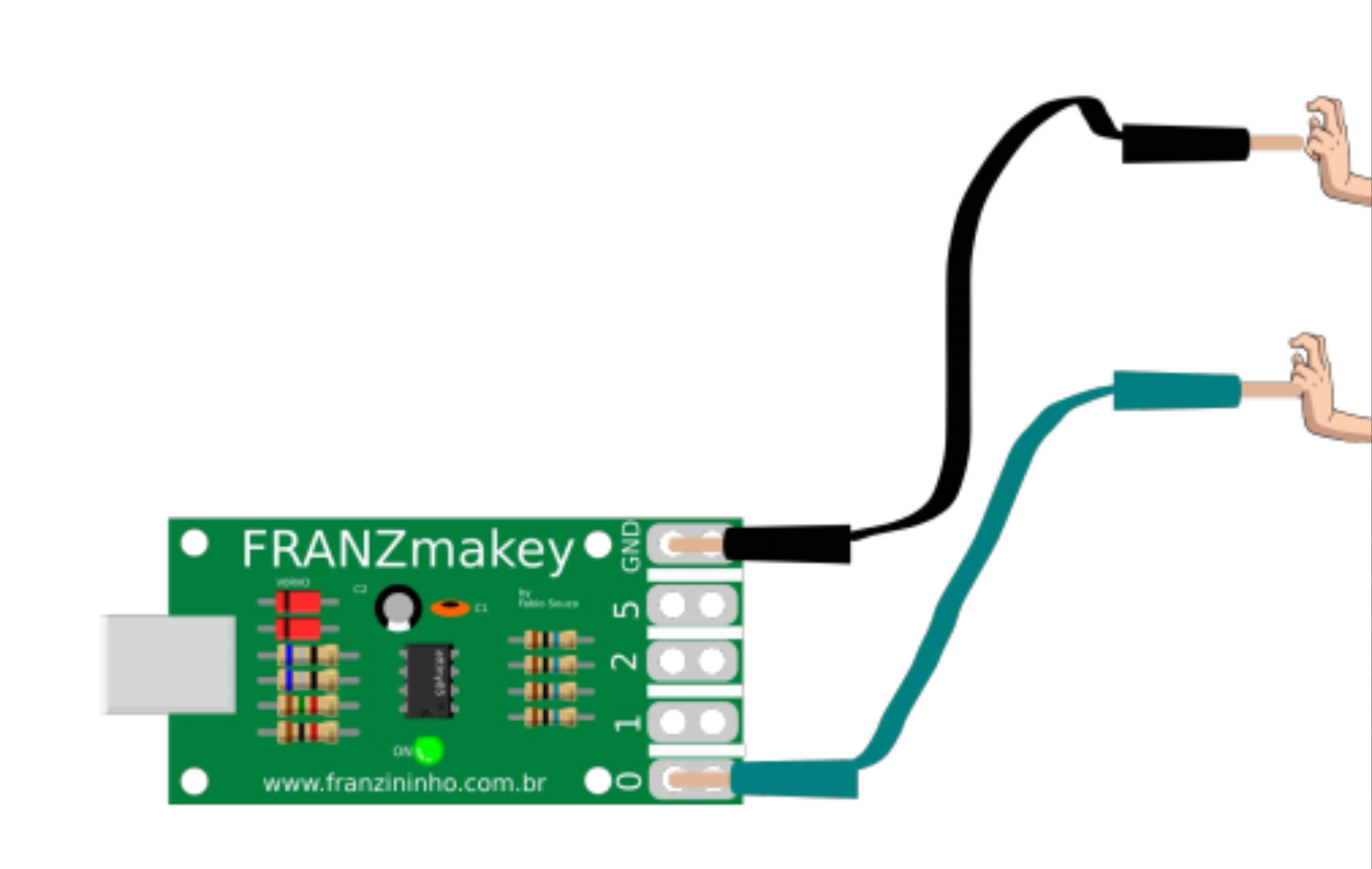
Now connect the USB A/B cable to the FranzMakey and the other connector to the computer's USB.
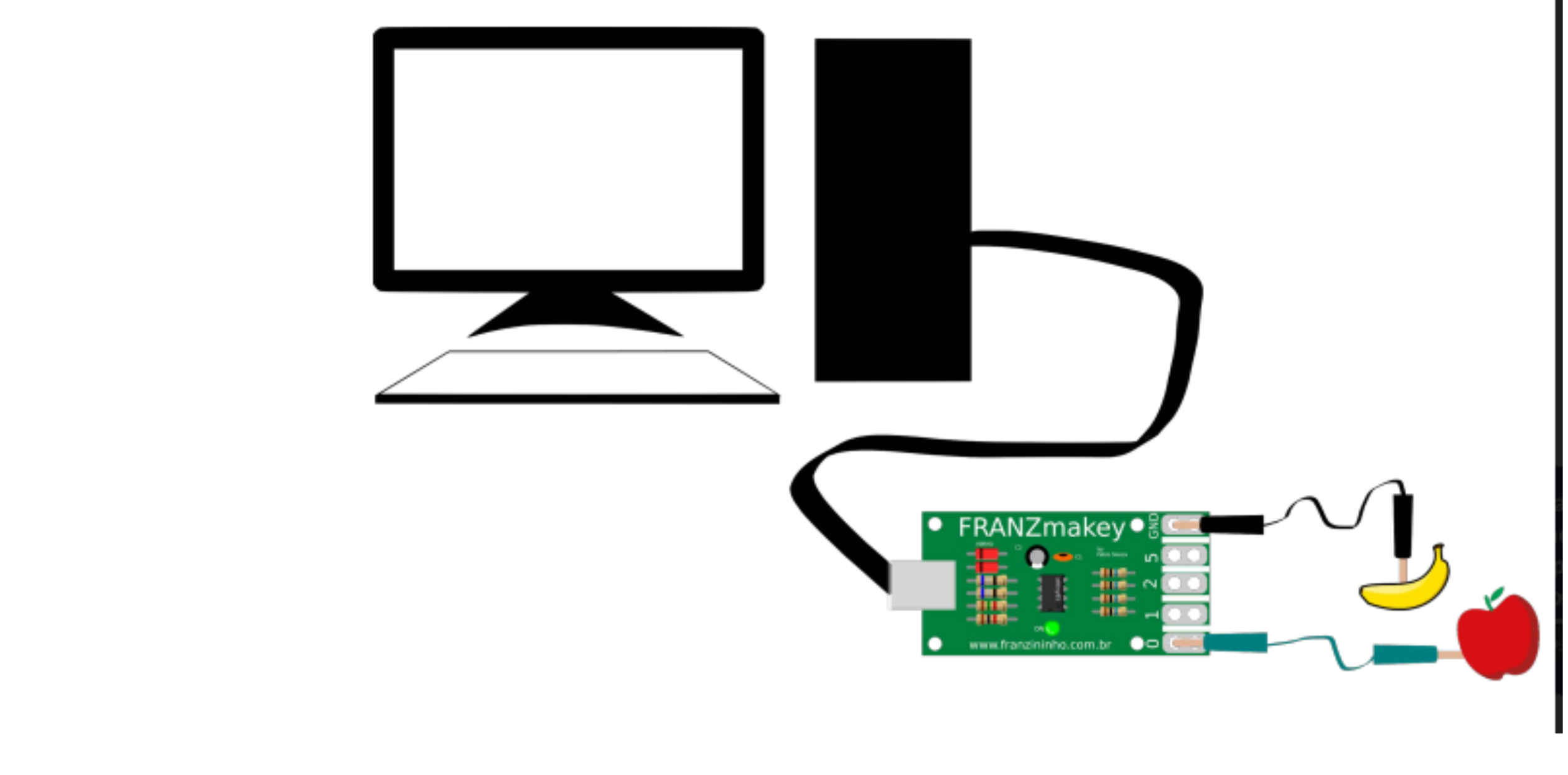
*Optionally you can insert fruit at the ends of the alligator clips for the test.
Now open your browser and let the cursor blink, as shown in the image below:

Take the test: Hold both alligator clips, keep your finger touching the metal part of the GND clip at all times, and with the other clip touch and release — as if you were pressing a keyboard key.
If the cursor started moving in your browser's address bar, your FranzMakey board is ready to go!