Configuring Franzininho C0 examples in STM32CubeIDE in 7 steps
Follow the steps below to configure a new project for the Franzininho C0 in STM32CubeIDE:
- Clone the repository (https://github.com/Franzininho/franzininho-c0-exemplos-stm32cubeide.git) to a local folder and navigate to the path containing the examples:
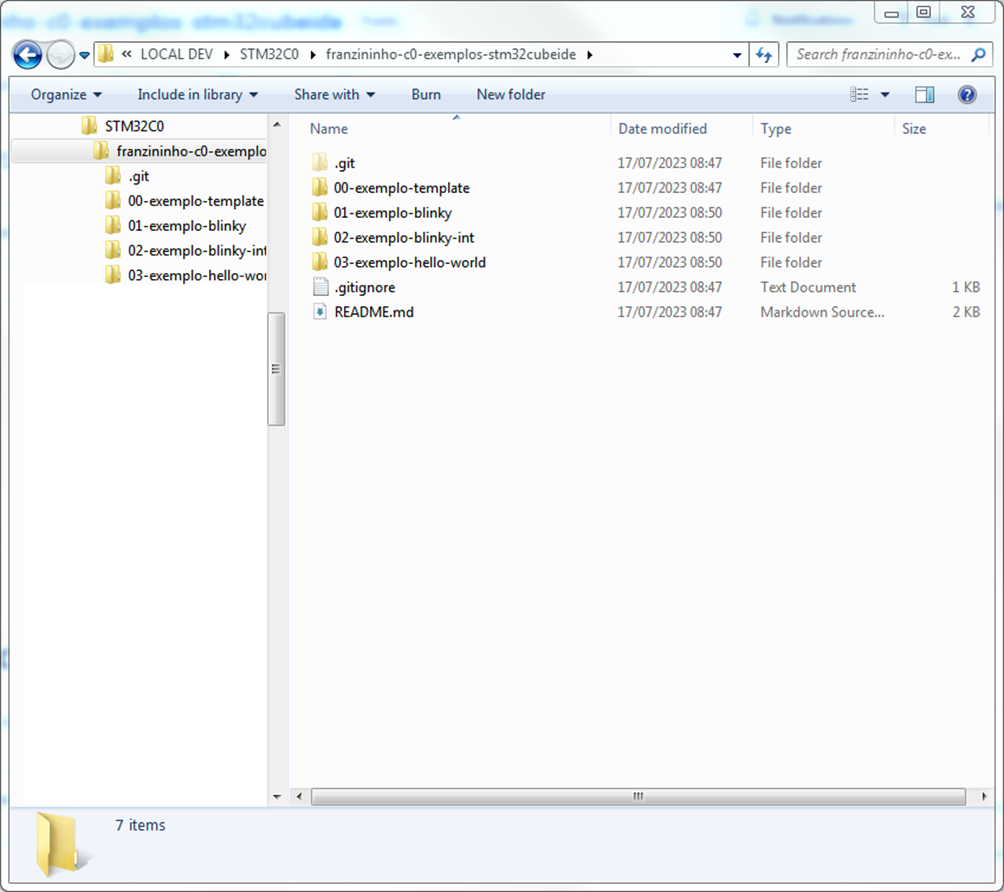
- Start STM32CubeIDE and select the folder from step 1 as the workspace location, then select "Launch":

- Note that the "/.metadata/" folder will be created in that location, containing the workspace configuration:

- After CubeIDE initializes, select "Import project":

- Select the same path as in step 1:

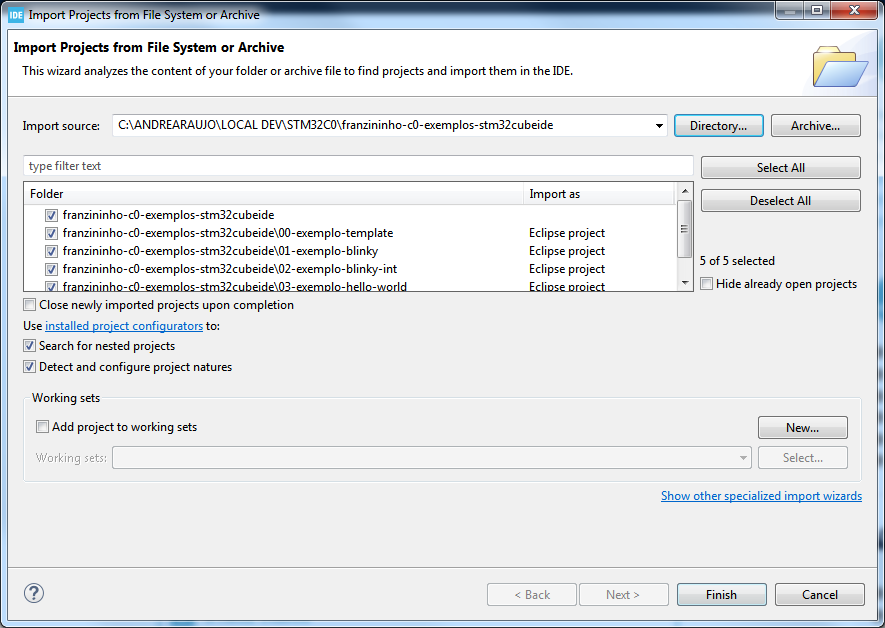
- Note that the examples will be listed and you can select which ones to import. To proceed, select "Finish":
- Finally, all examples are loaded in the IDE and ready for compilation/execution:

| Author | André Araújo |
|---|---|
| Date: | 17/07/2023 |