Upload via USB/SERIAL Converter
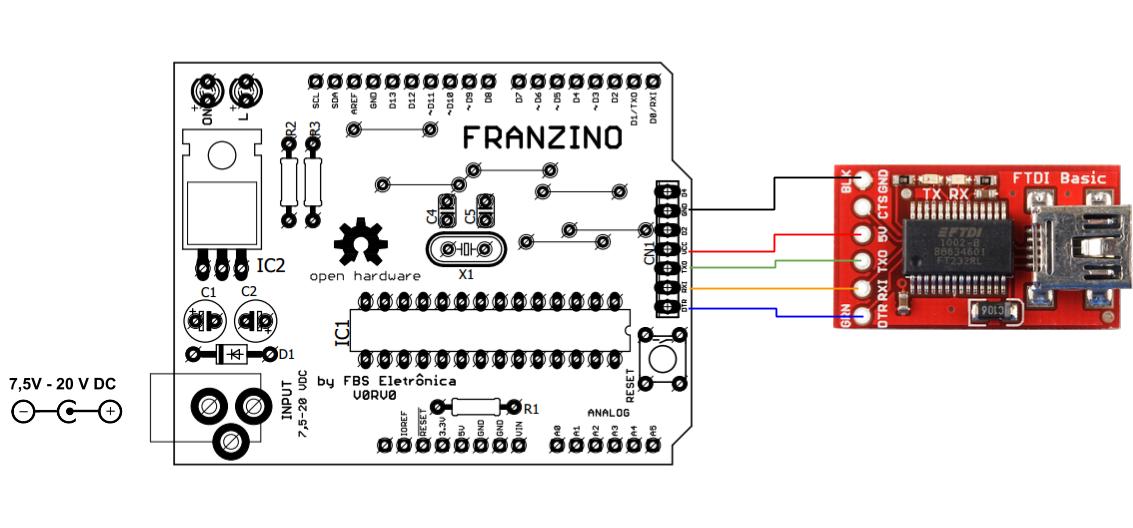
To upload code to the Franzino, first connect the USB/Serial converter to the board as shown in the figure below:
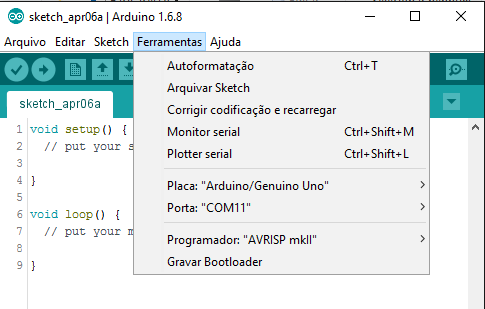
In the Arduino IDE, select the Arduino UNO board. Also select the serial port that was created when the USB/SERIAL converter was plugged into the computer:
Done — now just upload your code to the Franzino board.