PWM Outputs
What is PWM?
PWM, from Pulse Width Modulation, is a technique used by digital systems to vary the average value of a periodic waveform. The technique consists of keeping the frequency of a square wave fixed and varying the time the signal stays at a high logic level. This time is called the duty cycle, i.e., the active cycle of the waveform. The graph below shows some PWM modulations:
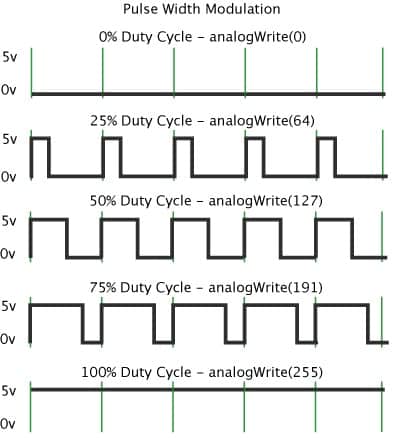
Analyzing the waveforms, notice that the frequency of the waveform has the same value and the duty cycle varies. When the duty cycle is at 0%, the average value of the output is at 0 V, and consequently for a duty cycle of 100% the output takes its maximum value, which is 5V. For a duty cycle of 50% the output will take 50% of the voltage value, 2.5 V, and so on for each change in duty cycle. Therefore, to calculate the average output voltage of a PWM signal, the following equation can be used:
Vout = (duty cycle / 100) * Vcc
Where:
- Vout - output voltage in V
- duty cycle - PWM active cycle value in %
- Vcc - supply voltage in V
PWM can be used for various applications, such as:
- motor speed control
- LED brightness variation
- analog signal generation
- audio signal generation
Source: Using Arduino PWM outputs
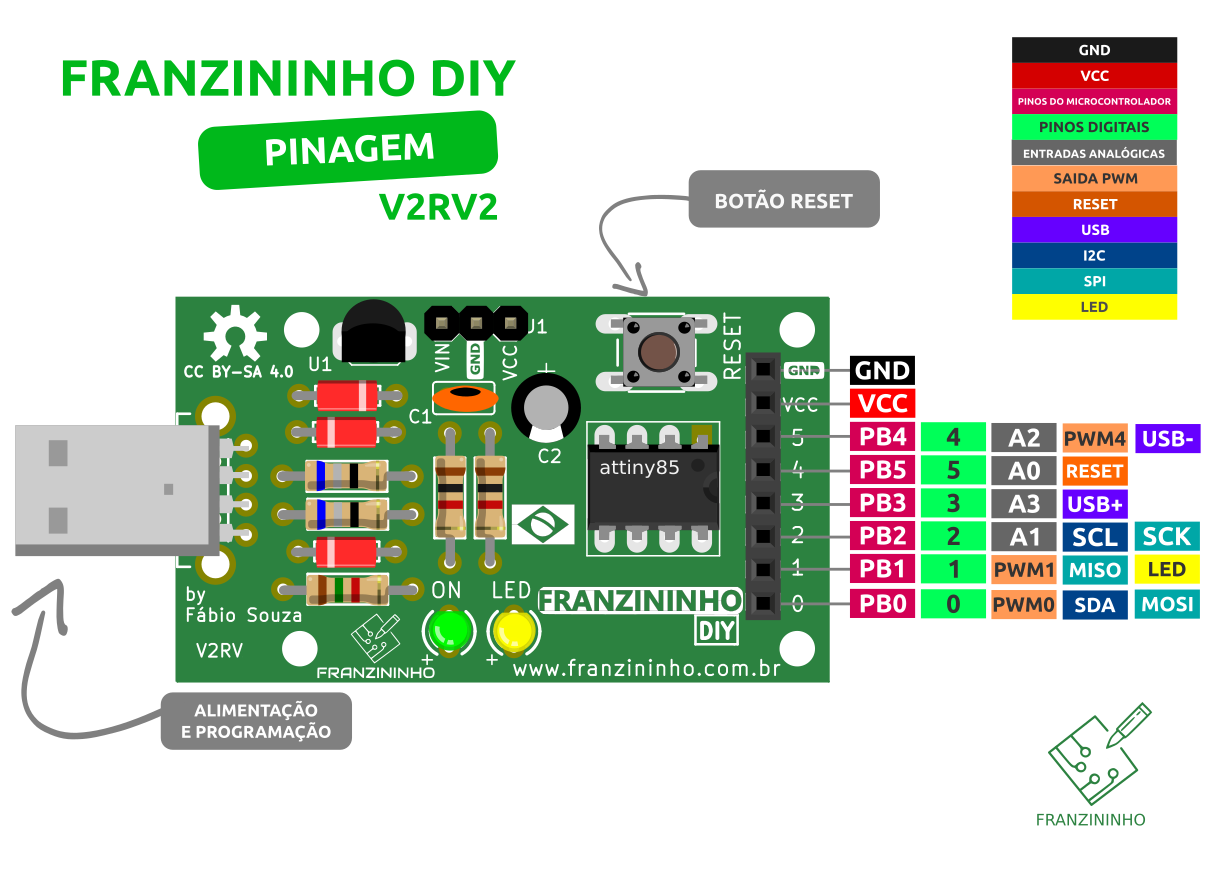
In the Franzininho we have 3 pins that can be used as PWM outputs (PWM0, PWM1, and PWM4) as shown in the pinout:
Check pin usage limitations
Function
The analogWrite() function writes a PWM value to a digital pin that has the PWM function. To use the pin as a PWM output, it must be configured as a digital output.
Syntax:
analogWrite(pin, value);
Parameters:
- pin: pin number where the PWM signal will be generated (0, 1, 4 on the Franzininho)
- value: average output voltage value to be generated by PWM, between 0 and 255, where 0 represents 0V and 255 represents 5V.
Example
Control the LED brightness according to the value read from the potentiometer:
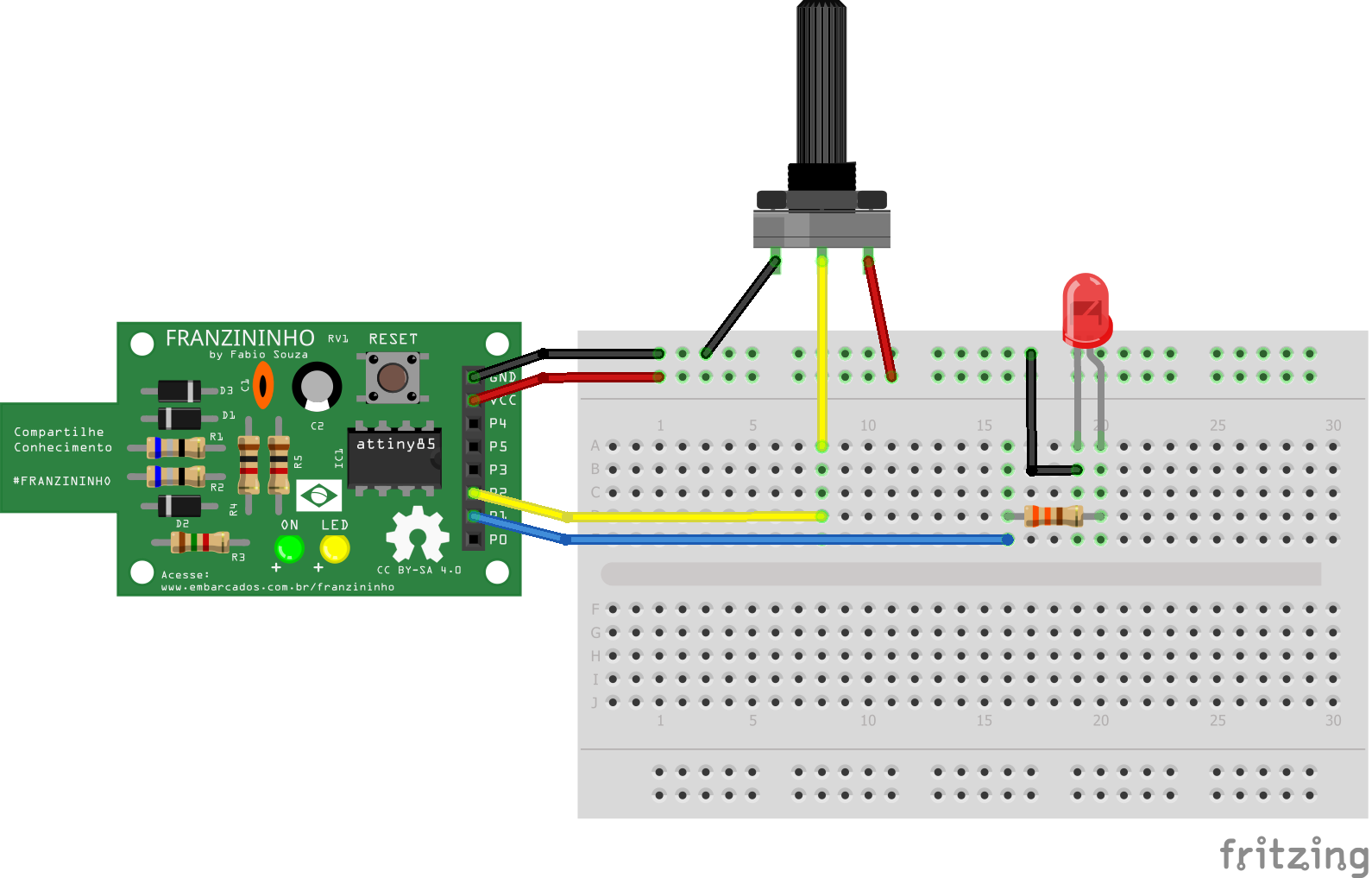
const byte LED = 1;    // LED pin
const byte POT = A1;   // Potentiometer pin

void setup() {
  pinMode(LED, OUTPUT);
}

void loop() {

  int value = analogRead(POT);  // read the potentiometer value
  analogWrite(LED, value / 4);  // write to LED value between 0 and 255

}