DHT11 Temperature and Humidity Sensor
In this example we will learn how to read temperature and humidity values with the DHT11 sensor.
Required Materials
Identify the following materials needed for this project:
- 1 Franzininho WiFi
- 1 DHT11 sensor
- 1 10k resistor
- 1 Breadboard
- Jumper wires
Circuit
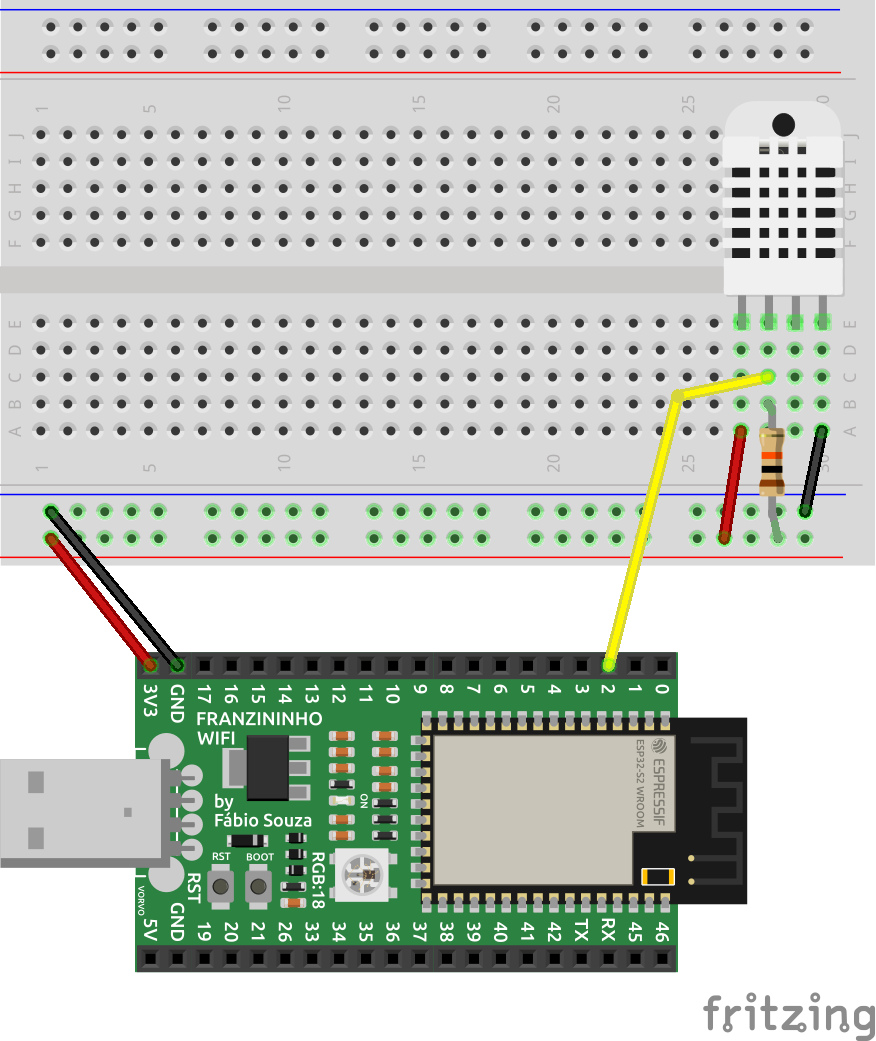
Assemble the circuit as shown in the figure below:
Code
To use the DHT sensor with the Franzininho WiFi, we need to install the adafruit_dht module on the board before creating our code.
CircuitPython libraries can be obtained at https://circuitpython.org/libraries. Choose and download the file according to the CircuitPython version installed on your Franzininho WiFi.
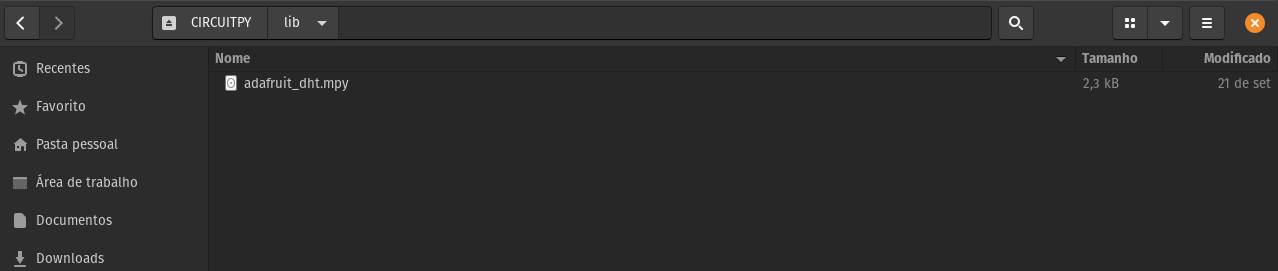
Then, copy the following file directly to the lib folder of the Franzininho WiFi filesystem:
- adafruit_dht.mpy
To demonstrate the use of the DHT sensor module, type the code below and connect to the board's serial terminal (REPL) to check the temperature and humidity values read.
""" Temperature and humidity reading with DHT11 """

import board
import time
import adafruit_dht

dht = adafruit_dht.DHT11(board.IO2)

while True:
    try:
        temperature = dht.temperature
        humidity = dht.humidity
        # Print values read to serial
        print("Temperature: {:.1f} °C \t Humidity: {}%".format(temperature, humidity))
    except RuntimeError as e:
        # DHT11 reading may fail
        print("DHT11 read failure: ", e.args)

    time.sleep(1)
Code Analysis
In the first part of the code we import the libraries to be used in the application. Note that we import the adafruit_dht module we installed in the lib folder of the board:
import board
import time
import adafruit_dht
Then we create an instance and choose DHT11 mode, since it is possible to work with other models using this library. It is necessary to pass as parameter the pin connected to the sensor's communication line. In our case we pass pin 2:
dht = adafruit_dht.DHT11(board.IO2)
In the infinite loop we read the temperature and humidity values every 1 second using the dht.temperature and dht.humidity methods, and print the values to the serial terminal.
while True:
    try:
        temperature = dht.temperature
        humidity = dht.humidity
        # Print values read to serial
        print("Temperature: {:.1f} °C \t Humidity: {}%".format(temperature, humidity))
    except RuntimeError as e:
        # DHT11 reading may fail
        print("DHT11 read failure: ", e.args)

    time.sleep(1)
Result
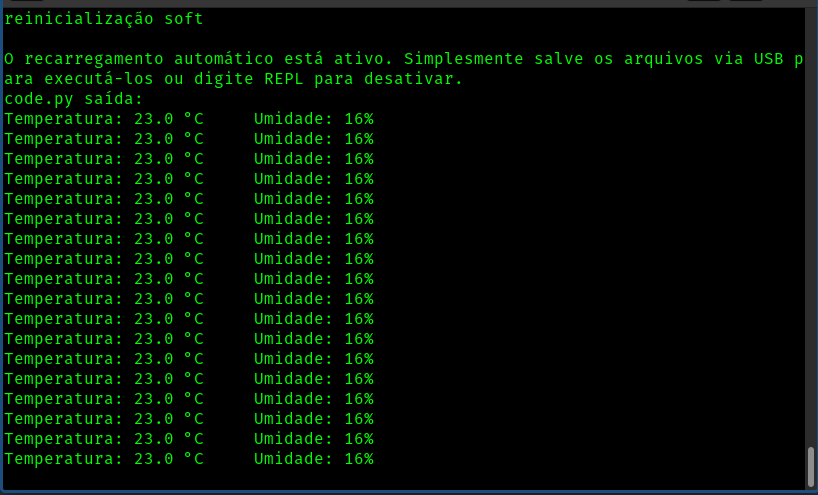
The figure below shows the values read in the serial terminal (REPL):
Conclusion
The DHT11 sensor (and similar ones) allows us to read temperature and humidity in a simple and efficient way. Using a single communication wire we can read both values. Since the communication protocol is somewhat complex, using a library simplifies communication with the device.
If you have any questions, consult the Franzininho community on Discord
| Author | Fábio Souza |
|---|---|
| Date: | 10/10/2021 |