HC-SR04 Ultrasonic Distance Sensor
In this example we will learn how to read distance values with the HC-SR04 sensor using CircuitPython.
Required Materials
Identify the following materials needed for this project:
- 1 Franzininho WiFi
- 1 HC-SR04 Ultrasonic Distance Sensor
- 1 Breadboard
- Jumper wires
Circuit
The next step is to assemble the circuit as shown in the figure below:
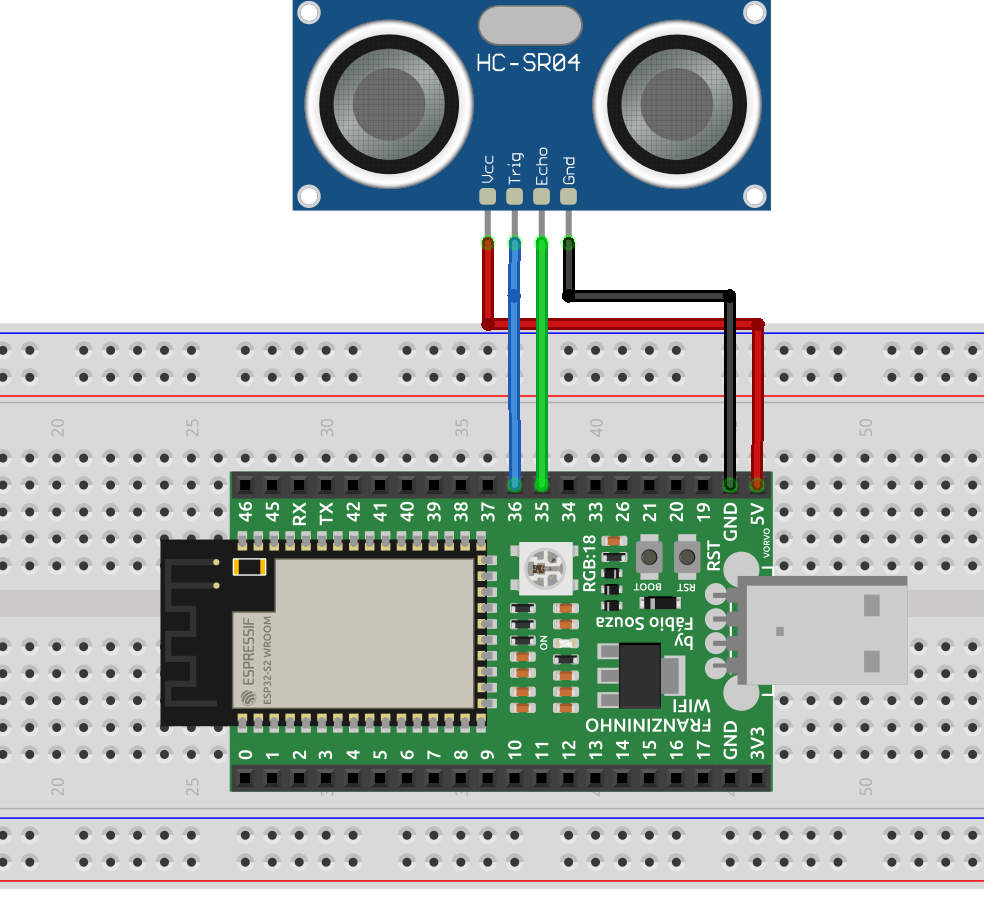
The table below summarizes the connections between the sensor and the Franzininho:
| HC-SR04 | Franzininho WiFi |
|---|---|
| Echo | GPIO35 |
| Trig | GPIO36 |
| Vcc | 5v |
| Gnd | GND |
Code
In this example, we will use a library that implements the necessary methods for using the sensor.
CircuitPython libraries can be obtained at https://circuitpython.org/libraries. Choose and download the file according to the CircuitPython version installed on your Franzininho WiFi.
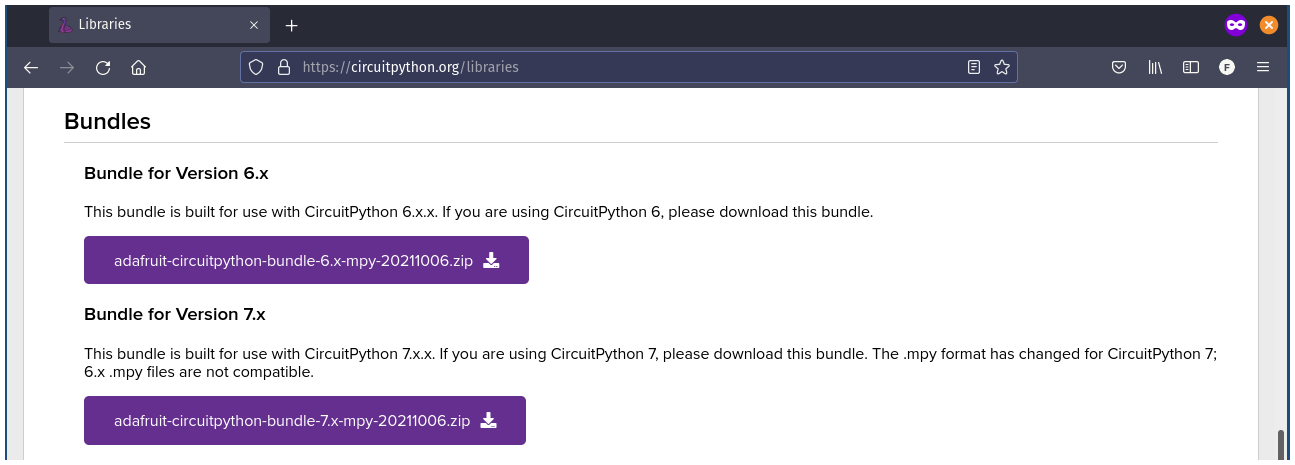
Then, copy the file directly to the lib folder of the Franzininho WiFi filesystem:
- adafruit_hcsr04.mpy
Implement the program below in the code.py file located in the root folder of the Franzininho WiFi.
import board
import time
import adafruit_hcsr04

sonar = adafruit_hcsr04.HCSR04(trigger_pin=board.IO36, echo_pin=board.IO35, timeout=0.5)

while True:
    try:
        print((sonar.distance,))
    except RuntimeError:
        print("Retrying!")
    time.sleep(0.1)
Code Analysis
To access the board pins we need to import the board module:
import board
Since we need to use sleep, we import the time module:
import time
The library we will use to read the sensor is adafruit_hcsr04; we import this module:
import adafruit_hcsr04
Then we create an instance of the HCSR04 class, passing trigger_pin as pin 36, echo_pin as pin 35, and timeout as 0.5 seconds. The trigger_pin fires an ultrasonic sound wave that collides with an obstacle and returns to the sensor, causing the echo_pin to send pulses to the Franzininho. The time of this process is converted into distance. The timeout parameter is the maximum sensor reading time, which in this case is 0.5 seconds. As can be seen in the pinout available at https://franzininho.github.io/docs-franzininho-site/docs/franzininho-wifi/franzininho-wifi
sonar = adafruit_hcsr04.HCSR04(trigger_pin=board.IO36, echo_pin=board.IO35, timeout=0.5)
In the infinite loop we read the distance value every 0.1 seconds using the sonar.distance method and print the value to the serial terminal. The value returned by sonar.distance is in centimeters.
while True:
    try:
        print((sonar.distance,))
    except RuntimeError:
        print("Retrying!")
    time.sleep(0.1)
Result
The figure below shows the values read in the serial terminal (REPL):
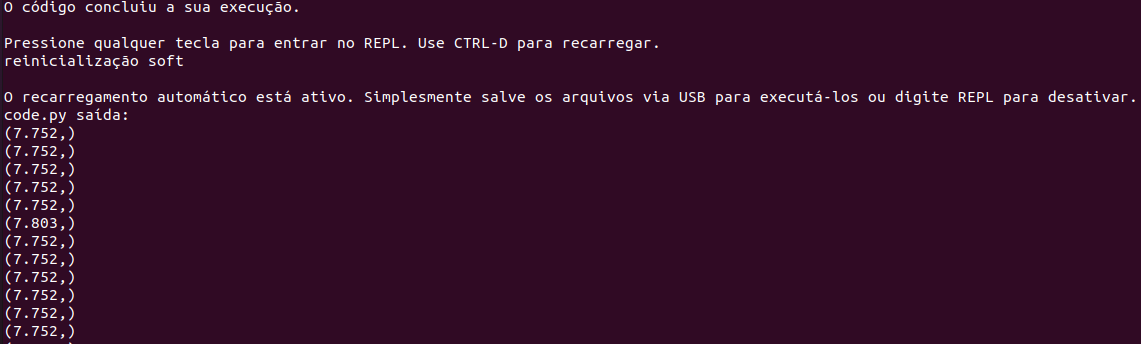
If you have any questions, consult the Franzininho community on Discord
| Author | Wallace Brito |
|---|---|
| Date: | 31/10/2021 |